Oct 5th 2025
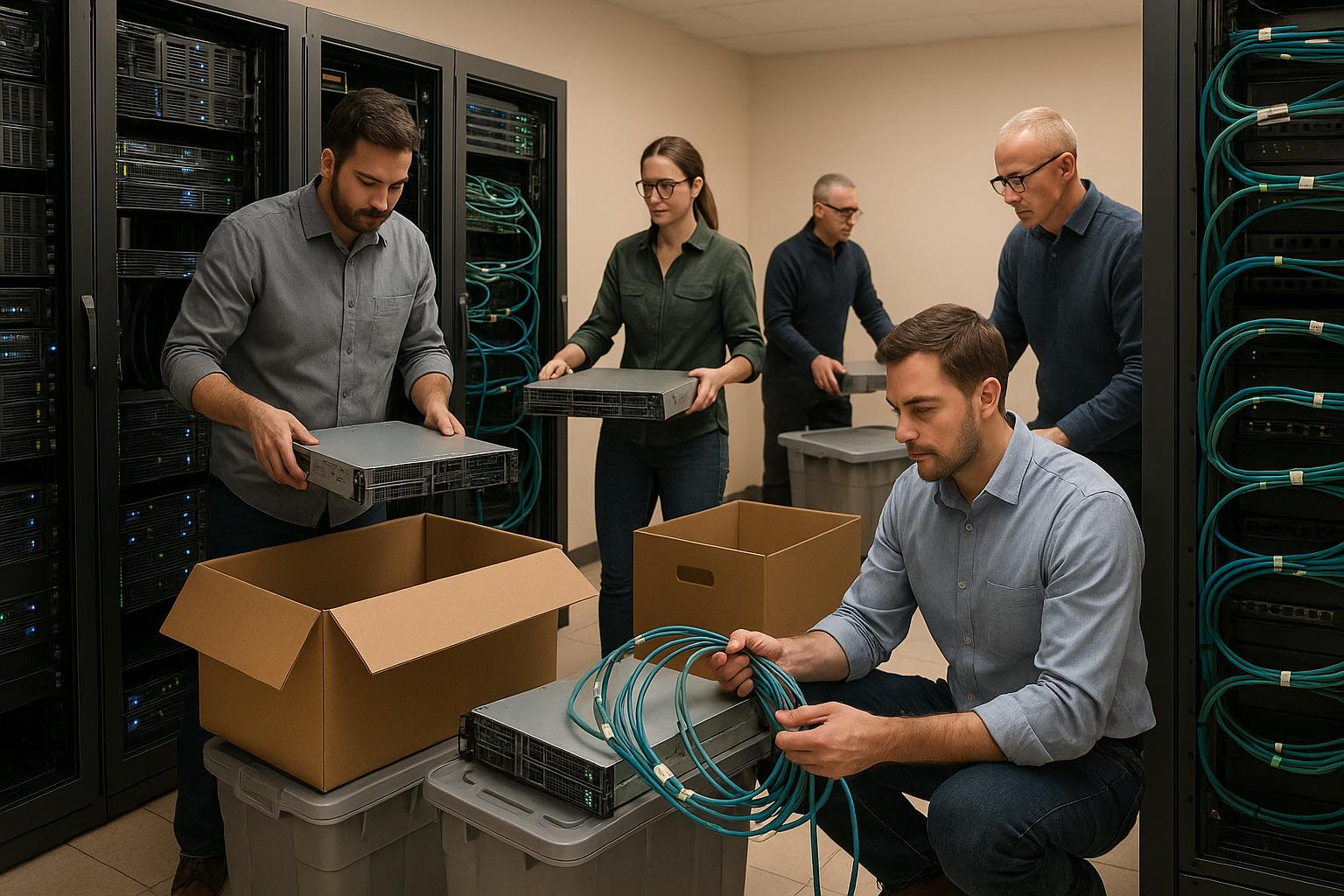
How to Plan a Data Center Relocation
Relocating a data center can be a complex process, but with proper preparation, it’s manageable. The goal is to move IT infrastructure - servers, networking equipment, and storage systems - while minimizing downtime, protecting data, and ensuring business continuity. Here’s a quick breakdown of the process:
- Plan Ahead: Define objectives, assemble a skilled team, and set a realistic budget and timeline.
- Inventory and Document: Catalog all hardware, network configurations, and connections. Label equipment and cables for easier reassembly.
- Backup Data: Create and verify backups to safeguard critical information.
- Manage Risks: Protect equipment with secure transport methods, encrypt data, and prepare for potential issues like downtime or compliance challenges.
- Schedule Strategically: Break the move into phases, test systems at each step, and choose low-activity periods to minimize disruptions.
- Hire Professionals: Work with experienced data center movers who understand the unique requirements of handling sensitive equipment.
Mastering Data Center Relocation: A Step-by-Step Success Guide
Step 1: Initial Assessment and Planning
The success of any data center relocation hinges on thorough initial assessment and planning. This phase lays the groundwork for a seamless transition, helping to prevent delays and unexpected challenges. Start by defining clear objectives, assembling the right team, and setting realistic budgets and timelines. These early steps create the framework for the detailed relocation plan outlined in later stages.
Set Your Goals and Project Scope
Before you begin the move, it’s essential to clarify your objectives. Are you aiming to cut operational costs, enhance disaster recovery capabilities, or support business growth? These goals will shape every decision you make throughout the process.
Write down specific, measurable objectives that will define the success of the project.
Next, outline the scope of your project. Identify which systems will be relocated, retained, or upgraded. Decide whether the move will happen all at once or in phases. A phased approach can allow critical operations to continue uninterrupted while other systems are transitioned.
Keep business continuity at the forefront when defining the scope. Pinpoint mission-critical systems and determine acceptable downtime for each service. This ensures essential operations remain unaffected during the move.
While budget constraints will influence your scope, make sure to account for all possible costs. Beyond direct moving expenses, factor in costs like temporary rentals, lost revenue during downtime, and other related expenses.
Build Your Relocation Team
A successful relocation requires a team with a mix of expertise. The complexity of the move will dictate the size and roles needed, but certain key positions are essential for any project.
Once your objectives and scope are clearly defined, your next step is to assemble a capable team to carry out the plan.
Start with a dedicated project manager. This person will act as the main point of contact between departments and external vendors. They should have experience managing complex technical projects and be empowered to make quick decisions.
Your IT infrastructure team is another critical component. Include network engineers, systems administrators, and database administrators who can document existing configurations and ensure a smooth migration of systems.
Bring in facilities and operations specialists who understand the requirements for power, cooling, and physical infrastructure. These team members will coordinate with the new location’s management to meet environmental and structural needs.
Don’t overlook security and compliance experts. Their role is to protect sensitive data and ensure the move adheres to relevant regulations.
Finally, consider including logistics coordinators who specialize in equipment transportation. Even if you’re using external moving companies, internal oversight ensures your specific needs are met throughout the process.
Set Budget and Timeline
Creating a realistic budget and timeline is crucial for keeping the project on track and avoiding surprises.
Start by listing all potential expenses. Direct costs might include professional movers, specialized packaging, transportation insurance, and temporary storage. Don’t forget indirect costs like overtime for staff, additional equipment rentals, or revenue losses due to downtime.
Set aside contingency funds to handle unexpected expenses without derailing the project.
For your timeline, outline all interdependent tasks and work backward from your target move date. Include milestones for critical activities like setting up power circuits, configuring cooling systems, and establishing network connectivity, as these steps can sometimes take longer than expected.
Plan to schedule the move during periods of low activity, and test systems incrementally to identify and resolve issues early in the process. This approach minimizes risks and ensures a smoother transition.
Step 2: Complete Equipment and Asset Inventory
Once you’ve established your team and initial plans, the next step is to create a detailed inventory of everything in your data center. This inventory is the backbone of your relocation process. Without accurate records of your equipment, network connections, and data, you risk losing assets, misconfiguring systems, and experiencing prolonged downtime.
List and Document All Assets
Start by cataloging every piece of hardware in your data center. For each item, document important details such as serial numbers, asset tags, manufacturer names, model numbers, and current configurations. Don’t forget to include power consumption data - this will be vital when planning the electrical setup at your new location.
Take screenshots of configurations and export them to preserve critical settings. Label your equipment both physically and digitally. Use color-coded labels that correspond to your documentation, making it easier to match physical items with their records during the move.
Even small components like cables, power supplies, and mounting hardware should be documented. These minor items often get overlooked but are essential for reassembly.
Evaluate the condition and age of your equipment as you go. If certain items are nearing the end of their lifespan, it may be more cost-effective to replace them rather than relocate them. This could save you money on moving and reduce future maintenance headaches.
Once your inventory is complete, the next step is mapping network connections to ensure a seamless reinstallation.
Map Network Connections
Mapping your network is one of the most intricate yet essential tasks in the inventory process. A detailed network map ensures all systems will communicate properly once they’re set up in the new location.
Create diagrams that clearly show how devices are connected. Include details about IP addresses, VLANs, firewall rules, and the physical layout of your network [2][3]. These diagrams should be thorough enough that someone unfamiliar with your setup could reconstruct it.
Before disconnecting any cables, photograph the back of each server and switch. These photos will serve as a visual guide when reconnecting equipment. Pair these images with written documentation that explains each connection's purpose and destination [2].
Identify application dependencies by determining which systems rely on others to function. Collaborate with specialists across IT domains - such as networking, storage, and server teams - to fully understand these interdependencies [1][3].
Label each cable and record its details in your documentation. Use a consistent naming system and durable tags to ensure labels remain intact during transport.
When planning the move, group systems by the business processes they support rather than just technical categories. This approach minimizes the risk of disrupting critical operations [3].
Lastly, document bandwidth needs, latency requirements, and firewall settings that must be replicated at the new site. Don’t forget to include information about external connections and internet circuits, as well as any specialized network services that require coordination with providers [3].
With your network mapped, the focus shifts to protecting and backing up your data.
Plan Data Backup and Recovery
Relocating your data center calls for extra precautions to safeguard your data. Create comprehensive backups of all critical information before starting the physical move. Store these backups separately from the equipment being transported - ideally in an off-site location or secure cloud storage. Test the backups to ensure they can be restored if needed.
Clearly document your backup procedures, including where the backup media is stored, how to restore the data, and who the key contacts are. Make sure this documentation is accessible to your team, even if primary systems are temporarily unavailable.
Identify sensitive or high-value data that may require additional protection during the move. For such cases, consider migrating this data to secure cloud storage or a separate facility temporarily.
Develop recovery plans for scenarios like partial data loss, system failures, or extended downtime. Include clear recovery time estimates to help set realistic expectations for your business.
Coordinate your backups with the relocation timeline. Perform final backups as close to the move date as possible to reduce the risk of data loss. Allow enough time to verify the integrity of these backups before disconnecting equipment.
Finally, test your recovery procedures in advance by conducting trial restorations. This step can uncover gaps in your documentation or issues with backup media, giving you the chance to address them before they become critical during the move.
Step 3: Risk Management and Protection Strategies
Once you've mapped out your inventory and created a solid relocation plan, the next step is to identify potential risks and put safeguards in place. Effective risk management not only protects your equipment and data but also helps ensure your business keeps running smoothly during the move.
Identify Key Risks
Relocating a data center comes with its fair share of challenges. Here are some of the most critical risks to consider:
- Equipment damage: Servers, storage devices, and networking gear are fragile and can be harmed by vibrations, temperature swings, or improper handling. Static electricity is another hazard, especially for sensitive electronics.
- Extended downtime: Even a few hours of downtime can lead to significant financial losses. Multiply your hourly revenue by the expected downtime to understand the stakes.
- Data corruption or loss: While backups are essential, hard drives can still suffer shock damage during transport, putting your data at risk.
- Environmental hazards: Issues like extreme temperatures, humidity, or dust can wreak havoc on your equipment.
- Human error: Mistakes during installation or mislabeled cables are common pitfalls that can lead to delays or system failures.
- Regulatory compliance issues: Moving across state lines or into a new jurisdiction might introduce new rules around data handling, security, or environmental requirements.
Document each risk, noting its potential impact, likelihood, and cost. This will help you prioritize and allocate resources effectively. Assign team members to monitor and address these risks throughout the move.
Safeguard Data Security
Protecting your data and equipment during relocation is non-negotiable. Here’s how to secure your assets at every step:
- Physical security: Use specialized containers, tamper-evident seals, and authorized personnel to handle equipment. This ensures your hardware is safe during loading, transport, and unloading.
- Encryption: Encrypt all storage devices before the move, even if they’re already protected. This precaution keeps your data secure in case equipment is lost or stolen.
- Access controls: Update security protocols to account for temporary staff and network changes. Disable unnecessary accounts and services to reduce vulnerabilities.
- Secure transport: Use GPS tracking, coordinate directly with drivers, and choose low-risk routes. For high-value equipment, consider working with local law enforcement.
- Network security: Before reinstallation, change default passwords, update firewall rules, and set up temporary monitoring to detect unusual activity during the transition.
- Documentation security: Keep copies of critical files - like network diagrams and recovery procedures - in multiple secure locations. Make sure key personnel can access them even if primary systems are unavailable.
For added protection, consider temporary measures like surveillance cameras, alarm systems, or on-site security guards during vulnerable phases of the move.
Develop Backup Plans
No matter how much you plan, unexpected issues can still arise. That’s why having backup plans is crucial. Here’s what to focus on:
- Redundant systems: Set up temporary hosting solutions for critical applications before the move. Options include cloud services, partner facilities, or backup data centers to keep operations running.
- Alternative communication methods: When primary networks are offline, use backup internet connections, satellite communications, or cellular data to stay connected with vendors and customers.
- Emergency response procedures: Prepare for scenarios like equipment damage, data loss, or power outages. Include contact details for emergency services, vendors, and decision-makers.
- Financial contingencies: Budget for unexpected costs like equipment replacement, extra labor, or expedited shipping.
- Vendor relationships: Maintain good terms with equipment manufacturers and local tech support. Have backup moving companies lined up in case your primary contractor falls through.
- Recovery time objectives: Define acceptable downtime for each system and create recovery procedures to meet these targets. Test these plans in advance to identify any weak points.
- Rollback procedures: If the new site doesn’t meet your needs, be ready to return to your original location. Keep equipment and documentation accessible for a quick reinstallation.
Regularly test your backup plans to uncover gaps before they become problems. Schedule reviews with your team to update procedures, refresh contact lists, and learn from past experiences. By staying proactive, you can handle disruptions with confidence.
sbb-itb-be87134
Step 4: Build Your Relocation Schedule
Once you've addressed potential risks and set up backups, the next step is creating a detailed and efficient schedule for your move. A well-thought-out timeline reduces downtime and helps identify issues early. Break the project into phases to ensure smooth business operations throughout the process.
Break the Project Into Phases
Organize your relocation into distinct phases, each with clear goals and deadlines. Start by migrating non-critical systems to test your procedures and fine-tune your approach. These could include development environments, backup systems, or internal tools that won’t disrupt customer-facing operations if something goes wrong. Early phases are ideal for refining processes like transportation, installation, and communication.
Set go/no-go criteria for each phase to ensure everything is on track before moving forward. For example, confirm that systems from the previous phase are fully operational, team members are prepared, and no external factors could disrupt the next step. Use objective checkpoints like "servers responding to ping tests" or "backup systems verified" to avoid making rushed decisions under pressure.
"The plan should coordinate equipment shutdowns and transfers in stages to minimize downtime." - The Advance Group [5]
Allow for reasonable timeframes between phases. Avoid scheduling phases too close together, as unexpected issues often require extra time to resolve. A good rule of thumb is to leave 24–48 hours between major phases for troubleshooting and system verification.
Test Systems at Each Stage
Testing is crucial at every step of the relocation. After completing each milestone, verify system functionality to catch and resolve issues early.
Before moving equipment, record baseline performance metrics. At each checkpoint, confirm connectivity, power, and system responses to detect any transport damage or environmental problems. Once equipment is online, conduct both technical and functional tests. Technical tests ensure hardware operates within normal parameters, such as CPU temperature and disk performance, while functional tests confirm that applications perform as expected from an end-user perspective.
Prioritize critical devices that have the most significant impact on operations, ensuring these systems come online first [5]. Keep detailed logs of all test results to track progress and identify recurring issues. These records will also be invaluable for troubleshooting or improving future relocations.
Schedule to Reduce Business Impact
Plan your move during off-peak hours to minimize disruptions. Notify stakeholders at least two weeks in advance, providing clear maintenance windows and contact information [4][6].
For businesses with global operations, pay close attention to time zones. Off-peak hours in one region might coincide with peak business hours elsewhere. Collaborate with international teams to find optimal windows or consider temporary systems to maintain critical services during the transition [4][6].
Set up temporary systems for essential services, such as cloud-based email hosting, backup internet connections, or temporary phone systems. For mission-critical applications, consider real-time replication to a temporary environment. This approach minimizes downtime and ensures a seamless transition once the new location is ready [4].
Build in buffer time to handle unexpected delays like extended equipment installations or compatibility issues. Have contingency plans and rollback procedures ready to address prolonged outages or migration problems [4].
Keep in mind that your schedule isn't just about moving equipment - it's about maintaining business continuity. The best relocations are those where customers barely notice anything has changed.
Step 5: Work with Professional Moving Companies
Relocating a data center is no small feat - it requires a level of expertise that goes beyond standard moving services. With sensitive servers, networking devices, and storage systems in play, you need professionals who truly understand how to handle mission-critical technology. Partnering with experienced movers can help reduce downtime and ensure a smooth transition. Here's how to choose the right experts, safeguard your equipment, and keep everything on track.
Select Data Center Moving Experts
Not every moving company is equipped to handle the complexities of data center relocations. You’ll want to seek out movers who specialize in this field. Look for companies that use tools specifically designed for server handling, rather than general warehouse equipment like forklifts [7]. Make sure their staff has documented experience in managing servers and other delicate technology [7].
Additionally, confirm that your chosen mover provides guarantees for post-move functionality. This includes clear policies on repairs, replacements, or reimbursements, along with comprehensive insurance coverage [7]. These measures are essential to avoid costly disruptions and ensure peace of mind.
For help finding the right professionals, platforms like ConsumersAdvisors.com can simplify the process. They offer instant quotes and expert reviews of licensed long-distance moving companies.
Transport Sensitive Equipment Safely
Once you’ve selected a trusted partner, the focus shifts to ensuring that your equipment is transported safely. Professional movers should use shock-resistant, humidity-controlled, and static-safe packaging to protect your devices [7]. The vehicles they use should be equipped with climate control and soft-ride suspension to shield your equipment from environmental changes and physical impacts during transit [7]. For added security, unmarked vehicles are a smart choice to reduce the risk of theft or tampering [7].
Track Assets and Coordinate Logistics
To maintain security and accountability throughout the move, have at least two of your company’s employees accompany the equipment during transit [7]. This hands-on approach ensures that the relocation stays organized and minimizes downtime, keeping your data center operations on schedule.
Conclusion: Complete Your Data Center Move Successfully
Relocating a data center is no small feat, but with a well-thought-out plan and skilled execution, the process can be managed effectively.
Every phase of the move requires careful attention to detail. With proper preparation, you can reduce unexpected challenges and create a solid pathway to success. As mentioned earlier, partnering with experienced data center movers is a game-changer. These specialists come equipped with the right tools, expertise, and insurance to handle sensitive technology like servers, networking gear, and storage systems - tasks that standard movers simply can't handle.
Collaboration is key. Your internal team should work hand-in-hand with external movers, ensuring oversight and accountability throughout the relocation. Having company personnel accompany critical equipment during the move helps keep everything on track and minimizes risks.
If you're in search of professional moving partners, platforms such as ConsumersAdvisors.com can simplify the process. They provide instant quotes and expert reviews of licensed commercial movers who specialize in technology relocations, making it easier to find the right fit for your needs.
With the right planning and expert help, you can protect your assets, minimize downtime, and ensure a smooth transition. What might seem like a logistical challenge can become a strategic win with the right approach.
FAQs
What should I look for in a moving company when relocating a data center?
When moving a data center, picking the right moving company is crucial to ensure your sensitive IT equipment is handled with care. Focus on companies with experience in data center relocations, proper certifications, and solid insurance coverage to safeguard your hardware throughout the process.
Assess their technical expertise - can they manage mission-critical systems, enforce strict security measures, and handle the detailed logistics involved? Dive into their reputation by checking customer reviews and references to confirm they have a history of reducing downtime and mitigating risks during relocations.
A company that provides customized solutions and dependable project management can make the entire process far more seamless and efficient.
How do I keep data secure and compliant during a data center relocation?
Ensuring the security of your data and staying compliant with regulations during a data center relocation demands meticulous planning and execution. The first step is to perform a risk assessment to pinpoint any possible vulnerabilities or threats that could arise during the move.
Next, create a solid backup and recovery plan to protect critical data. This ensures that, even if something goes wrong, your information remains intact and accessible. During transit, use encryption to shield sensitive data from unauthorized access. At the same time, make sure your relocation process aligns with any regulatory requirements, such as GDPR or HIPAA, depending on your industry.
Physical security is just as important. Implement strict access controls and monitoring systems to prevent unauthorized individuals from interfering with the relocation process. Finally, work with seasoned professionals who can oversee the move and ensure all security measures are properly executed. These precautions will help safeguard your data and keep your operations compliant throughout the transition.
How can I minimize downtime and ensure business continuity during a data center relocation?
To keep your business running smoothly during a data center relocation, careful planning is key. Start by crafting a detailed timeline, taking stock of all equipment, and selecting the right migration strategy - whether that's a phased approach or an all-at-once "Big Bang" move. Testing your systems both before and after the move is essential to catch and address any issues early on.
Adding redundancy measures - like backup systems, virtualization, and a strong disaster recovery plan - can help maintain service continuity during the move. It's also crucial to notify stakeholders and users ahead of time about any potential downtime, so expectations are clear and disruptions are minimized. Finally, having contingency plans in place and conducting thorough post-relocation testing will ensure your operations stay on track throughout the entire process.