Oct 17th 2025
How to Protect Electronics from Damage During a Move
Moving electronics safely requires careful preparation to avoid damage. These devices are fragile and can suffer from impacts, moisture, static, or extreme temperatures. Here’s a quick guide to ensure your electronics stay intact during a move:
- Back up your data: Use external drives and cloud storage to safeguard important files.
- Clean and organize: Dust devices, wipe screens with proper solutions, and label cables for easy reassembly.
- Pack properly: Use anti-static materials, sturdy boxes, and sufficient padding. Moisture barriers like silica gel packets are helpful.
- Use climate-controlled transport: Protect devices from extreme heat or cold, or transport high-value items in your personal vehicle.
- Inspect after the move: Let devices adjust to room temperature, check for damage, and test functionality.
How to Pack Electronics, Computers, & Monitors to Move | Olympia Moving & Storage
Getting Electronics Ready for Moving
Taking the time to prepare your electronics properly can save you from the headaches of damage, data loss, or costly repairs. A little effort upfront can make all the difference.
Backing Up Data and Preparing Devices
Start with data backup. With nearly 20% of moving insurance claims involving electronics[7], securing your important files, photos, and documents should be your top priority before packing anything.
For computers and laptops, create full system backups using external hard drives or solid-state drives. To add an extra layer of safety, use cloud storage platforms like Google Drive, Dropbox, or iCloud. This two-pronged approach ensures you have a fallback if one method fails.
Mobile devices need their own backup plan. Apple users can rely on iCloud, while Android devices typically use Google Backup. Gaming consoles often have cloud save options through services like PlayStation Plus, Xbox Live, or Nintendo Switch Online. Aim to complete all backups at least 24–48 hours before your move to avoid last-minute stress.
Once your data is secure, properly shut down your devices. Always use the operating system's shutdown process and wait 30–60 seconds before unplugging any cables.
For wireless devices, remove and pack batteries separately in their original packaging or sealed bags. If your device has a non-removable battery, like a laptop or tablet, make sure it’s fully powered off and stored with a 40–50% charge to preserve battery life. Printers require special care - remove ink and toner cartridges, seal them in plastic bags to prevent leaks, and store them upright in a clearly labeled box.
With your data backed up and devices powered down, you’re ready to move on to cleaning and organizing them for packing.
Cleaning and Organizing Electronics
After securing your data and shutting down your devices, it’s time to clean and organize everything to protect them during transit.
Start by cleaning your devices. Use compressed air to remove dust from computers and gaming consoles, and wipe down surfaces with a microfiber cloth and an electronics-safe cleaning solution. For TVs and monitors, stick to specialized screen wipes or a microfiber cloth dampened with distilled water - never spray liquids directly on the screen.
Clean ports and connections with dry cotton swabs or compressed air, and give keyboards and mice some attention by using compressed air between the keys and alcohol wipes for the surfaces.
Documenting cable connections is a game-changer when it’s time to set everything back up. Before unplugging anything, take clear photos of all cable connections from multiple angles. Close-up shots of ports can be especially helpful for complicated setups like home theaters or workstations. Label each cable at both ends (e.g., "TV HDMI") and bundle related cables using twist ties or Velcro straps. Store them in labeled zipper bags or small boxes marked with the corresponding device name. This method can cut your setup time in half and eliminate the frustration of sorting through a tangled mess of wires.
Finally, create a master inventory of all the electronics you’re moving. Include details like model numbers, serial numbers, and any accessories. When possible, pack each device in its own box, especially for more complex setups like gaming systems or home office equipment. Take photos of the box contents before sealing them, and use clear plastic bags to separate small items like screws, batteries, and adapters. This extra step will make reassembly much easier once you’ve arrived at your new home.
Packing Electronics for Protection
Once your electronics are cleaned and organized, the next step is to pack them securely to avoid any damage during transport. Using the right materials and techniques can make all the difference between your devices arriving in perfect condition or needing repairs.
Picking the Right Packing Materials
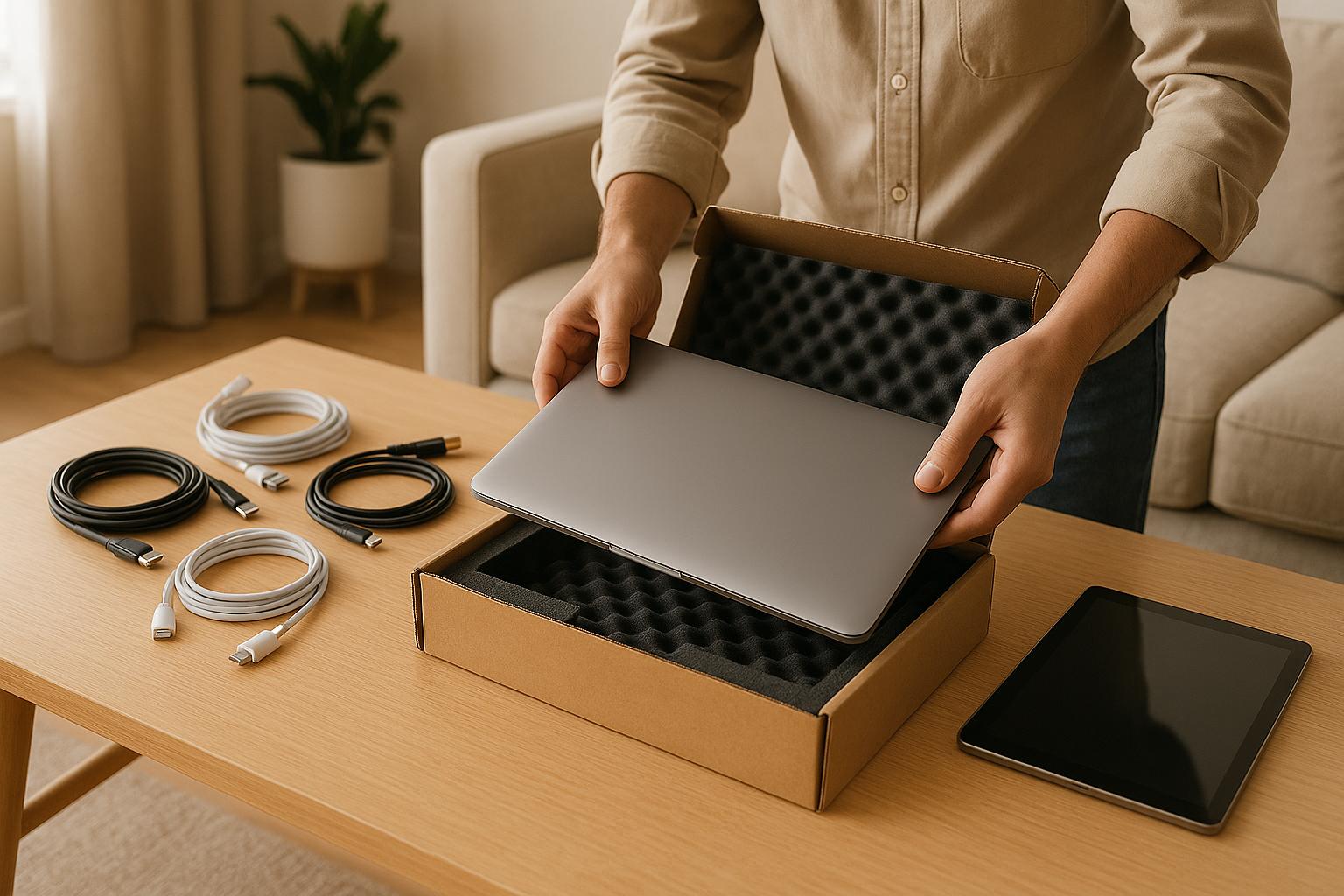
If you still have the original packaging for your electronics, use it. These boxes and foam inserts are specifically designed to protect your devices by absorbing shocks and vibrations during transit.
If the original packaging is long gone, don’t worry - you can create your own protective setup. Start with sturdy, double-walled moving boxes that are slightly larger than your devices. This extra room allows for sufficient padding to keep your electronics safe.
Wrap each device in anti-static bubble wrap instead of standard bubble wrap or plastic. It might cost a bit more, but it helps prevent static damage, which is a real concern for sensitive electronics.
For cushioning, use high-density foam, anti-static packing peanuts, or crumpled packing paper. Avoid regular packing peanuts unless they’re labeled as anti-static, as standard ones can generate static electricity.
To protect against moisture, wrap smaller devices in plastic bags and toss in some silica gel packets. This step is especially handy if you’re moving during humid weather or storing the devices temporarily.
For larger items like TVs and monitors, consider using moving blankets or furniture pads. These provide an additional layer of protection against scratches and impacts. Secure the blankets with tape or straps to keep them in place.
Once everything is wrapped and cushioned, it’s time to secure and label the boxes.
Securing and Labeling Boxes
After choosing your packing materials, focus on securing the boxes to ensure your electronics stay protected. Place each device in the center of its box and surround it with cushioning material on all sides. This step prevents movement and minimizes the risk of damage.
Fill any empty spaces in the box with foam inserts, anti-static packing peanuts, or crumpled paper. If you can feel or hear movement when you shake the sealed box, reopen it and add more padding until everything feels snug and stable.
When packing multiple items in a single box, always place heavier items at the bottom and lighter, more fragile ones on top. And remember: never stack heavy boxes on top of electronics during loading or storage. The weight could crush delicate components.
Labeling is just as important as packing. Clearly mark each box containing electronics with "Fragile", "This Side Up", and a description of the contents, such as "Laptop" or "Gaming Console." Write these labels on multiple sides of the box to ensure they’re visible no matter how the box is positioned.
Professional movers often use custom-built crates with foam inserts for high-value items like servers or large TVs. For example, one moving company used anti-static bubble wrap and custom foam to pack a home theater system, ensuring zero damage during a cross-country move [2].
sbb-itb-be87134
Moving Electronics Safely
Once you've secured and labeled your electronics, the next step is ensuring they’re transported safely. How you handle this stage can make all the difference. Electronics are particularly vulnerable to temperature extremes, humidity, and vibrations during transit, so careful planning is key. By combining proper packing techniques with safe transport methods, you can significantly reduce the risk of damage.
Using Climate-Controlled Storage and Vehicles
Electronics don’t fare well in extreme temperatures or high humidity[2][3]. Leaving devices in a non-climate-controlled truck during a scorching summer or a freezing winter can lead to permanent damage.
Climate-controlled trucks and storage units help maintain stable temperature and humidity levels, shielding your devices from environmental fluctuations. This is especially critical for long-distance moves, where you might encounter vastly different climates - like transitioning from Florida's humid heat to Colorado's cold, dry winters.
While climate-controlled options typically cost between $0.50 and $1.50 per cubic foot[12], they can be a smart investment. Electronics account for up to 20% of all moving insurance claims, with most related to physical damage or moisture exposure[14]. One moving company in Indianapolis shared that climate-controlled storage saved servers and audio equipment from condensation damage during an unusually humid summer[2].
If climate-controlled transport isn't an option due to budget or availability, there are still steps you can take to minimize risks:
- Time your move carefully: Load and unload electronics during cooler parts of the day.
- Use moisture-absorbing materials: Pack items with silica gel packets to combat humidity.
- Avoid extreme conditions: Try not to move electronics during the hottest or coldest periods.
- Warm-up time: In winter, let electronics gradually adjust to room temperature before unpacking to prevent condensation from forming inside.
For items that can’t be moved in climate-controlled conditions, consider transporting them personally - especially high-value electronics.
Personal Transport for High-Value Items
When it comes to high-value electronics like laptops, cameras, tablets, and external hard drives, transporting them in your personal vehicle is often the safest choice[3]. These items are more prone to damage in a moving truck, where temperature and handling are harder to control.
Interestingly, many moving companies won’t even transport high-value items. As ConsumersAdvisors.com explains: "Yes - most movers won't transport hazardous materials, perishable food, plants, pets, or high-value items like cash and jewelry. Always ask your mover for a full list so you can plan ahead"[9]. Electronics often fall into this high-value category, so it’s worth confirming with your moving company.
When transporting electronics yourself:
- Use padded cases: Protect devices from bumps and scratches.
- Keep them out of sunlight: Store items in a shaded part of your car.
- Rely on your car’s climate control: This provides a stable environment far safer than a moving truck, where temperatures can fluctuate wildly.
Repairing a damaged laptop can cost anywhere from $150 to $400[13], so the small expense of gas and time for personal transport is a worthwhile trade-off to protect your devices.
For extra peace of mind, many people now use tracking devices like Tile or Apple AirTag on high-value electronics during moves[10]. These tools can help you locate items quickly if they get misplaced in the chaos of moving day.
Finally, remember to keep electronics upright during transport - especially TVs and monitors - to protect their internal components[3]. Use moving blankets or pads to safeguard surfaces and secure items with straps to prevent shifting during the drive. These small precautions can go a long way in keeping your devices safe.
After the Move: Final Steps and Tips
Once your devices have safely reached their destination, taking the right steps during unpacking and setup is key to keeping them in great working condition. Careful handling now can save you from headaches later.
Checking Electronics After the Move
Before powering anything on, let your devices adjust to the room temperature. This helps prevent condensation, which can cause serious damage if moisture seeps into the internal components[8]. This step is especially important if your electronics were exposed to fluctuating temperatures or stored in non-climate-controlled spaces during the move.
Inspect each item closely for any signs of damage. Look for dents, scratches, cracked screens, or loose parts. Pay extra attention to signs of moisture, such as water spots or damp areas, as even minor exposure can lead to corrosion or short circuits if not addressed promptly[8].
Don’t skip over the small details. Check cable connections and ports - USB, HDMI, and power jacks are particularly vulnerable during transport. Look for bent pins or debris that might have gotten lodged inside.
Use the reference photos you took before the move to guide your reassembly process[4][5]. If you labeled cables with colored or masking tape, this is the moment those labels will save you time and frustration. For more complex setups, like a desktop computer or a multi-component entertainment system, cross-check your checklist to ensure every piece is present and accounted for[5].
Keep your cable bags and accessory boxes handy. That "electronics accessories" box you packed earlier will make it easy to find remote controls, power adapters, and specialty cables when you need them[4][8].
Once you've inspected everything, you’re ready to move on to the reassembly phase.
Setting Up Electronics Safely After Moving
Choose a location that’s dry, well-ventilated, and away from direct sunlight or areas prone to moisture, like damp basements. These precautions help protect your devices from overheating or long-term damage due to humidity[8].
Make sure your setup includes proper grounding and surge protection[4][7]. Don’t assume your new home’s electrical system is identical to your old one. Invest in high-quality surge protectors for valuable electronics, and if you notice anything unusual - like flickering lights or warm outlets - consider having a professional check the electrical system.
For high-end devices like servers or professional audio equipment, take extra care[1][6]. These often need specialized power setups or grounding to prevent static discharge. Maintaining a stable environment with consistent temperature and humidity levels will help protect sensitive components over time.
Remember the anti-static precautions you used during packing. If you’re handling exposed circuit boards or reassembling devices like desktop computers, use an anti-static wrist strap to avoid accidental damage from static electricity[5][11].
Reassemble your devices carefully. It’s worth taking a little extra time to ensure everything is connected properly, especially since modern homes often contain thousands of dollars’ worth of electronics - from gaming consoles and smart home gadgets to computers and entertainment systems[5]. Rushing through this step could lead to costly mistakes.
Once everything is set up, test your devices thoroughly. Make sure TVs display correctly, computers boot up without issues, and audio equipment delivers clear sound. If you notice any problems, document them right away. This information will be invaluable if you need to file an insurance claim.
Finally, keep your inventory list and photos within reach for a few weeks after the move. Sometimes issues don’t show up immediately. Having detailed records of serial numbers, model details, and the pre-move condition of your devices will simplify any warranty claims or insurance processes you might need to handle later.
Conclusion: Key Points for Protecting Electronics During Moves
Moving your electronics safely requires careful planning that starts well before packing day and continues even after you’ve settled into your new home. Electronics are especially vulnerable during a move, facing risks like physical impacts, moisture, static discharge, and extreme temperature changes. Let’s revisit the critical steps to safeguard your devices.
Preparation is key. Before anything else, make sure to back up your data and properly shut down all devices. This reduces the risk of internal damage during transit and ensures your information is safe even if something goes wrong.
Smart packing protects your gear. Use anti-static materials and plenty of cushioning to shield your electronics from physical damage and static electricity. Packing each device securely can make a big difference in preventing costly repairs.
Climate-controlled transport matters. Electronics are sensitive to temperature and humidity changes, which can lead to condensation, overheating, or even failure of internal components. Opting for climate-controlled transport helps keep your devices safe from these environmental risks.
The work doesn’t stop once you’ve arrived. Post-move inspection and setup are just as important. Allow your devices to adjust to room temperature before powering them on, check for any signs of damage, and test their functionality. This extra step can help you catch potential issues early, which might save you headaches with warranty claims down the line.
Experts emphasize that thorough preparation, proper packing, and careful handling are essential to minimizing risks during a move[2]. If you’re hiring professional movers, consider using resources like ConsumersAdvisors.com to compare licensed and vetted companies. Many offer specialized services, such as full-service packing and climate-controlled storage, which can make all the difference between a smooth move and a costly mishap.
FAQs
What can I use to safely pack my electronics if I don’t have the original boxes?
If you’ve misplaced the original boxes for your electronics, don’t worry - you can still keep them safe during a move. Use sturdy cardboard boxes that are slightly larger than the devices. Wrap each item in anti-static bubble wrap or soft packing materials to guard against scratches and static damage. To prevent shifting, fill any gaps in the box with packing peanuts or crumpled paper.
For added protection, clearly label the boxes as 'Fragile' and mark which side should stay upright. If you’re hiring a moving company, let them know these items are delicate so they can handle them with the care they need.
How can I keep my electronics safe from moisture while moving?
To keep your electronics safe from moisture during a move, start by using waterproof or water-resistant materials like plastic bins or sealed bags. For added protection, wrap each device in anti-static bubble wrap to guard against condensation damage.
It’s also important to store your electronics in a dry, temperature-controlled environment during transit. If you’re working with professional movers, check if they provide specialized packing services for electronics to give your items an extra layer of security. These steps can go a long way in ensuring your devices stay protected and in working order throughout the move.
Why should you let electronics reach room temperature before turning them on after a move?
When you move electronics to a new location, it's important to let them adjust to the room temperature before turning them on. Sudden temperature changes can create condensation inside the devices, and that moisture can harm internal components, possibly causing short circuits or even permanent damage.
To keep your electronics safe, give them a few hours to acclimate to their new environment. This waiting period allows any condensation to evaporate, ensuring the devices are ready for use without risk.